Launch candidate. Purchases are closed. Checkout and desktop compatibility testing must be completed before sales open.
Nomad-owned software · local workspace
Keep renewals in view.
Expiration & Renewal Tracker — Local Edition
Organize important dates, move records through your own workflow, and prepare follow-ups without turning a simple renewal list into a shared enterprise system.
Native desktop support is pending acceptance. No sale is enabled by this preview.
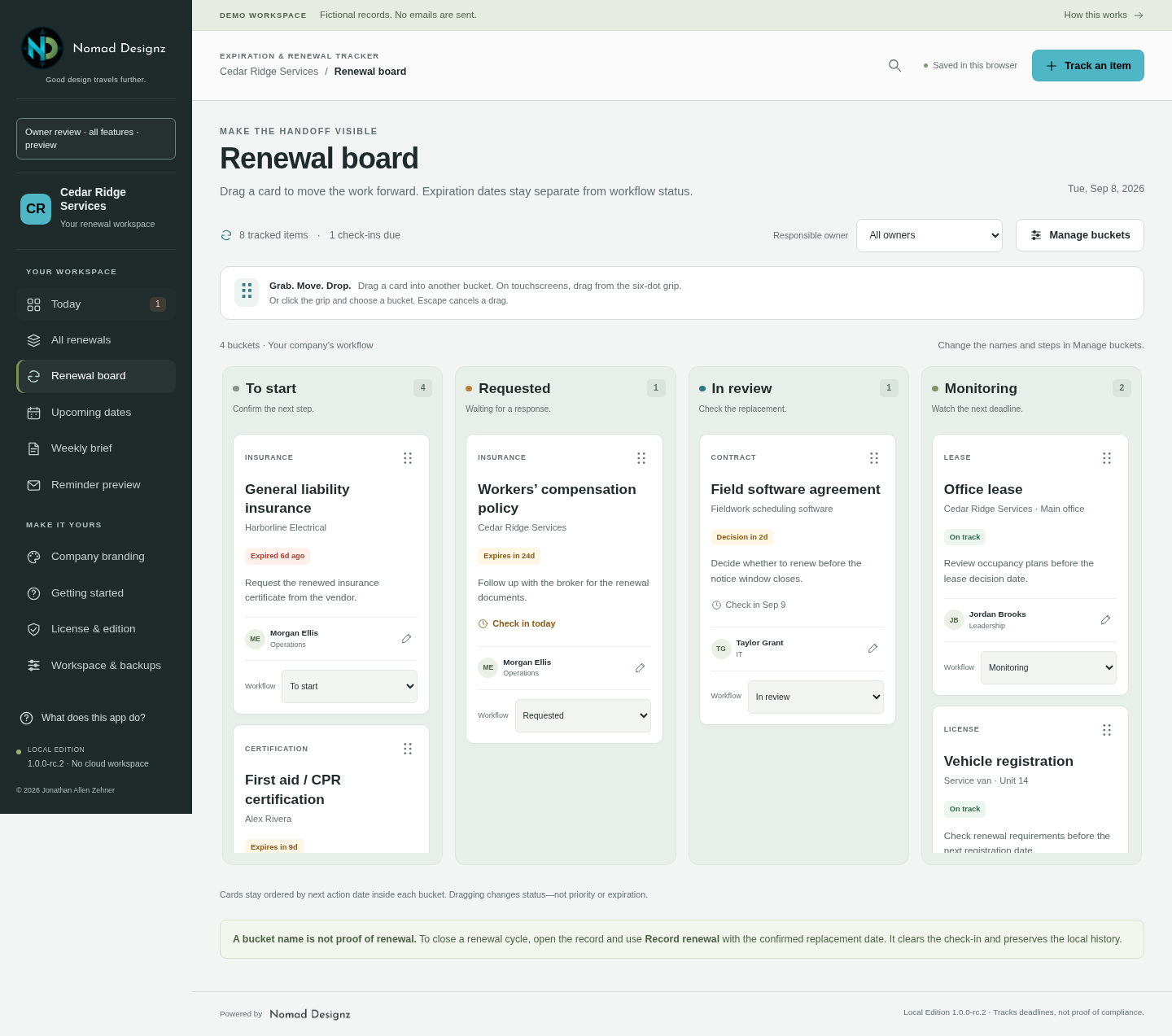
Historical supplied product screenshot (RC2-era). Examples are fictional; this is not current Logo System 3 or RC5 UI proof.
One application · three signed entitlements
Choose branding depth, not a different workflow.
Standard already includes drag-and-drop and 2–12 custom buckets. Pro and White Label add branding capabilities. All prices are USD before applicable checkout tax.
Scroll the comparison to see every edition. Keyboard users can focus this area and use the arrow keys.
Edition comparison
Capability
Standard
Pro
White Label
Custom buckets & drag-and-drop
Included
Included
Included
Calendar, follow-ups, weekly brief, reminder drafts
Included
Included
Included
CSV, JSON & checked recovery
Included
Included
Included
Company name, logo & primary color
Included
Included
Included
Advanced report branding, five profiles & brand packs
Not included
Included
Included
Customer-facing maker removal for internal use
Not included
Not included
Included
Resale, redistribution or public hosting rights
Not granted
Not granted
Not granted
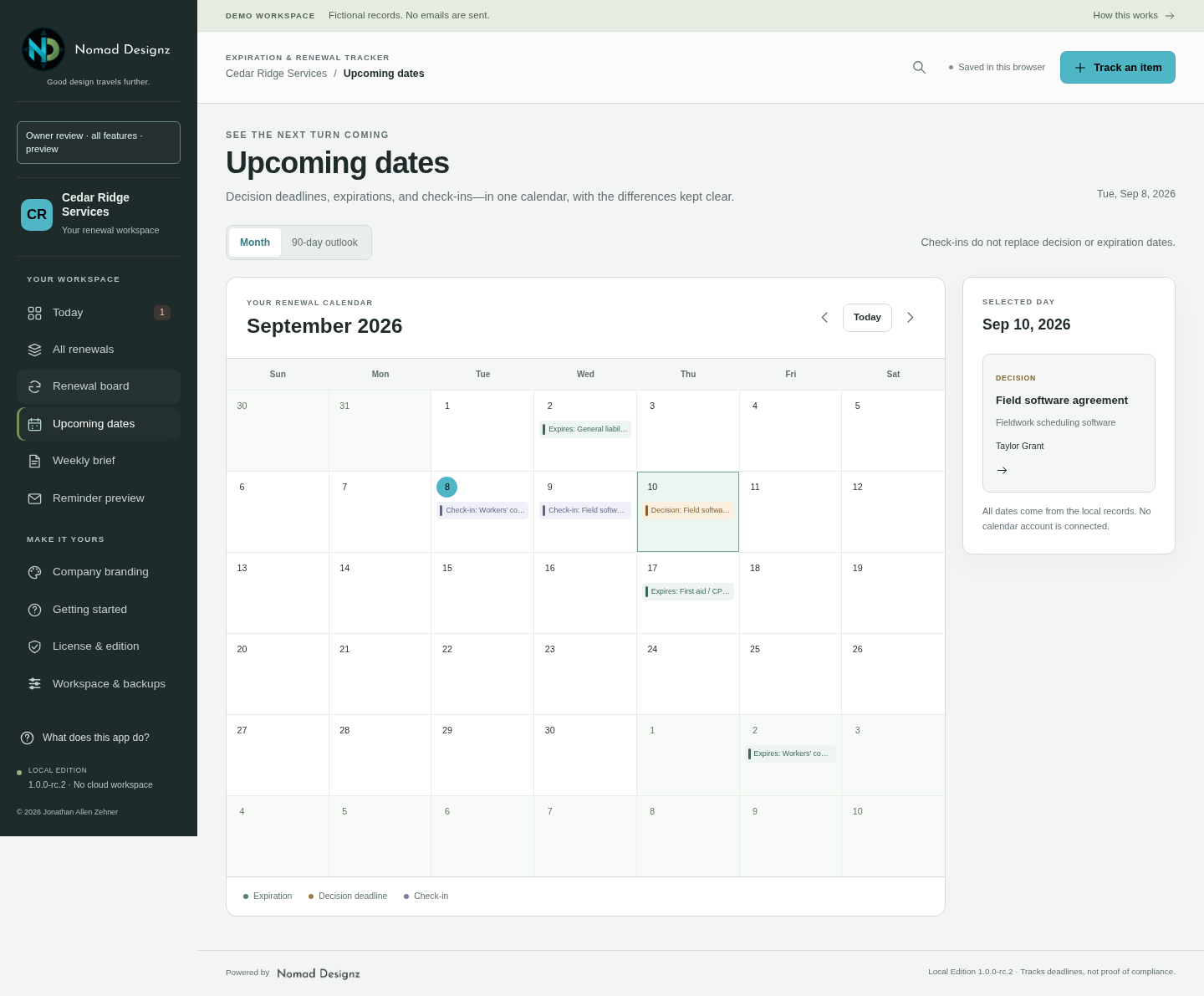
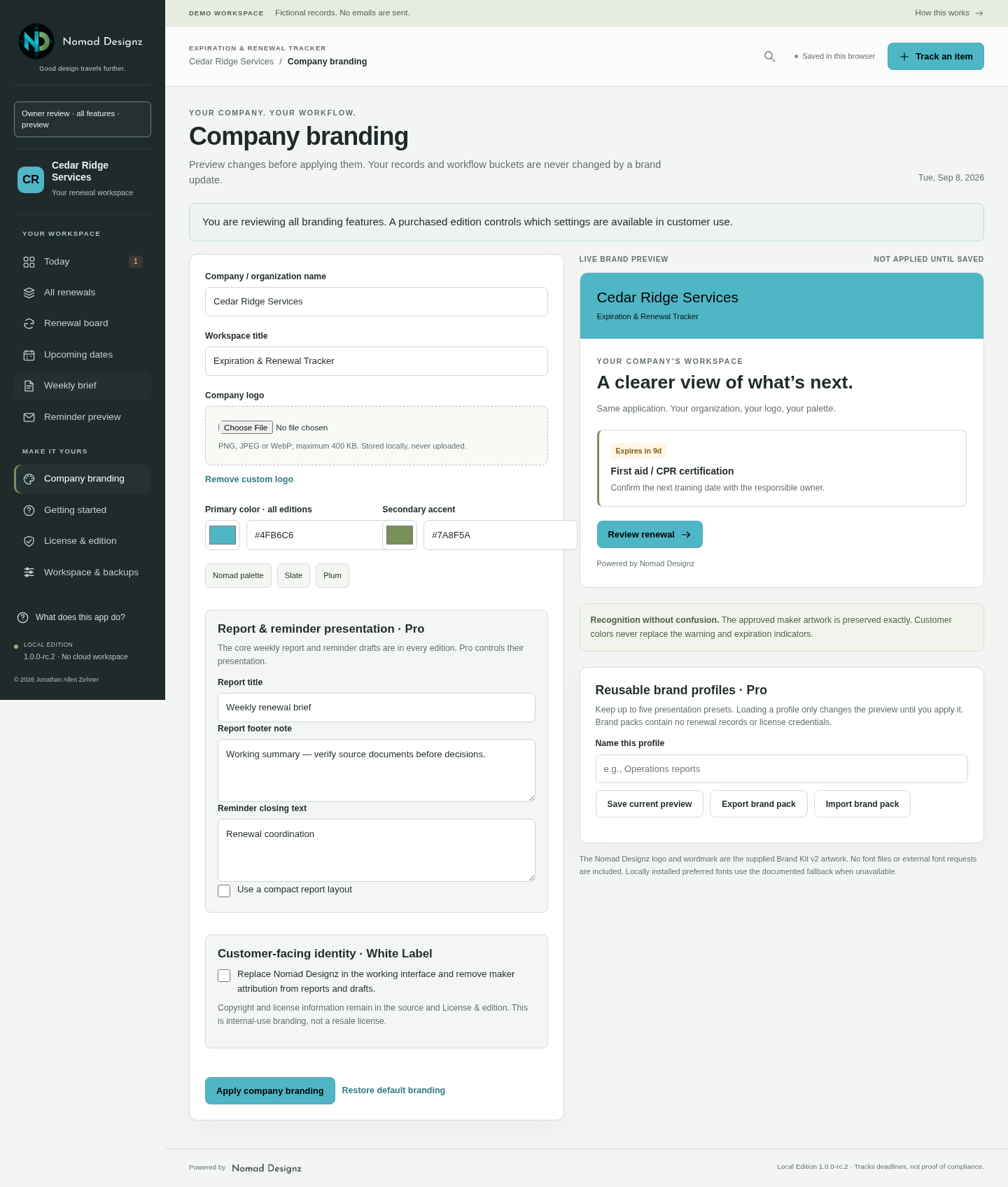
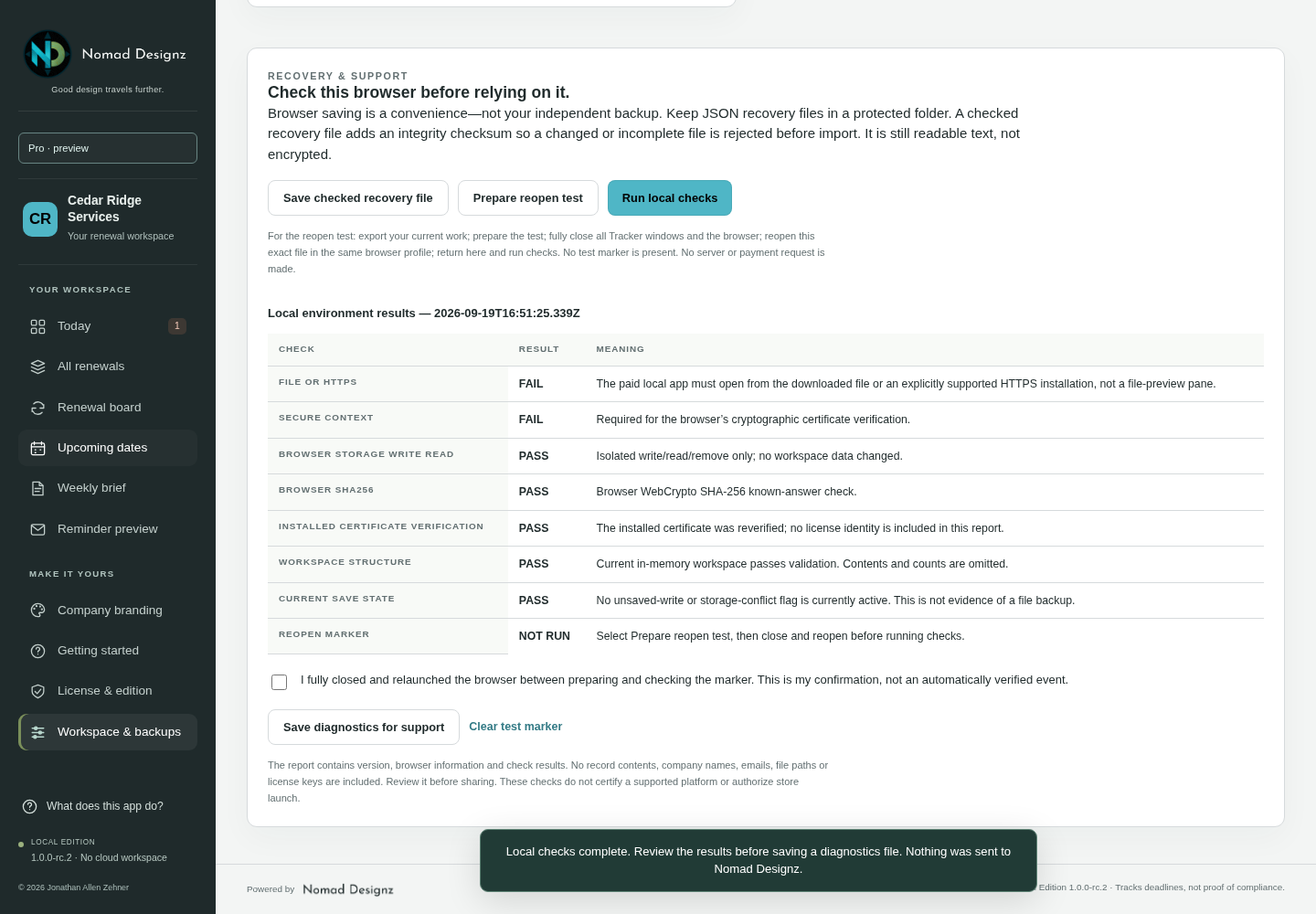
See the workspace.
Historical product screenshot: upcoming dates and follow-ups. Not current Logo System 3 or RC5 UI proof.Historical product screenshot: edition branding controls. Not current Logo System 3 or RC5 UI proof.Historical RC2 product screenshot: checked recovery. Not current Logo System 3 or RC5 UI proof.
Know the requirements before buying.
Desktop browser/OS acceptance is still pending. No browser/OS combination is approved for sale by this candidate. Sales remain closed until actual native downloaded-file, cryptography, persistence and recovery tests establish the supported combinations.
Extract the delivered ZIP completely, read START_HERE.html and open Renewal_Tracker.html in an approved desktop browser. The browser must permit local-file navigation, native cryptography, persistent local storage and file import/export. Private browsing, cleared site data, restrictive organization policies or unsupported storage environments may prevent reliable persistence.
The product is a local workspace, not shared cloud software. It supports up to 1,000 records, 2–12 buckets, 60 history events per record, and one most recent supported undo; browser capacity may be reached earlier. Pro and White Label support up to five brand profiles.
There is no automatic email delivery, alerting while closed, shared synchronization, authenticated team roles, Microsoft 365 integration, original-document storage, or coverage/compliance certification. Reminder drafts are not sent automatically. Keep independent backups and checked recovery files. A copied folder in cloud storage does not create supported company synchronization.
The demo uses its supplied separate storage namespace. Do not enter personal or business-sensitive data. A web demo pass does not prove downloaded-file compatibility.
Optional service · separate arrangement
Professional Brand Setup — $149
One supplied brand package, one workspace, one revision. A software license is required and is not included. The service is not in software checkout.
Yes. Standard includes 2–12 customizable buckets and drag-and-drop.
Does this send reminders automatically?
No. It prepares reminder drafts and follow-ups. It does not send email or alert you while the application is closed.
Can our company share one synchronized workspace?
No. Local workspaces remain independent. There are no authenticated team roles, shared company synchronization or Microsoft 365 integration.
What does White Label permit?
Customer-facing maker removal for licensed internal use. It does not permit resale, redistribution, public hosting or software ownership.
How do I receive the software and activate it?
Once sales are authorized, keep the provider receipt and purchase key. Use protected delivery, extract the full ZIP, open START_HERE.html, then activate the common application with the purchase key. No paid ZIP is available from an unrestricted public address.
Can I upgrade later without losing records?
Upgrade credits are support-assisted and verified. Back up first and preserve the existing workspace. Automatic upgrade billing is not implemented; the actual upgrade/recovery flow must pass acceptance before sales open.
What happens after a refund?
New delivery and certificate issuance are held for refund review. An already downloaded perpetual offline certificate cannot be instantly revoked. Workspace records are not deleted as a refund mechanism.
What is the refund policy?
Generally final after digital delivery/access, with exceptions for duplicate billing, delivery failure, an uncurable material defect or required law, and a reasonable opportunity to cure. Final provider terms and customer disclosures require approval. Read the disclosure.